
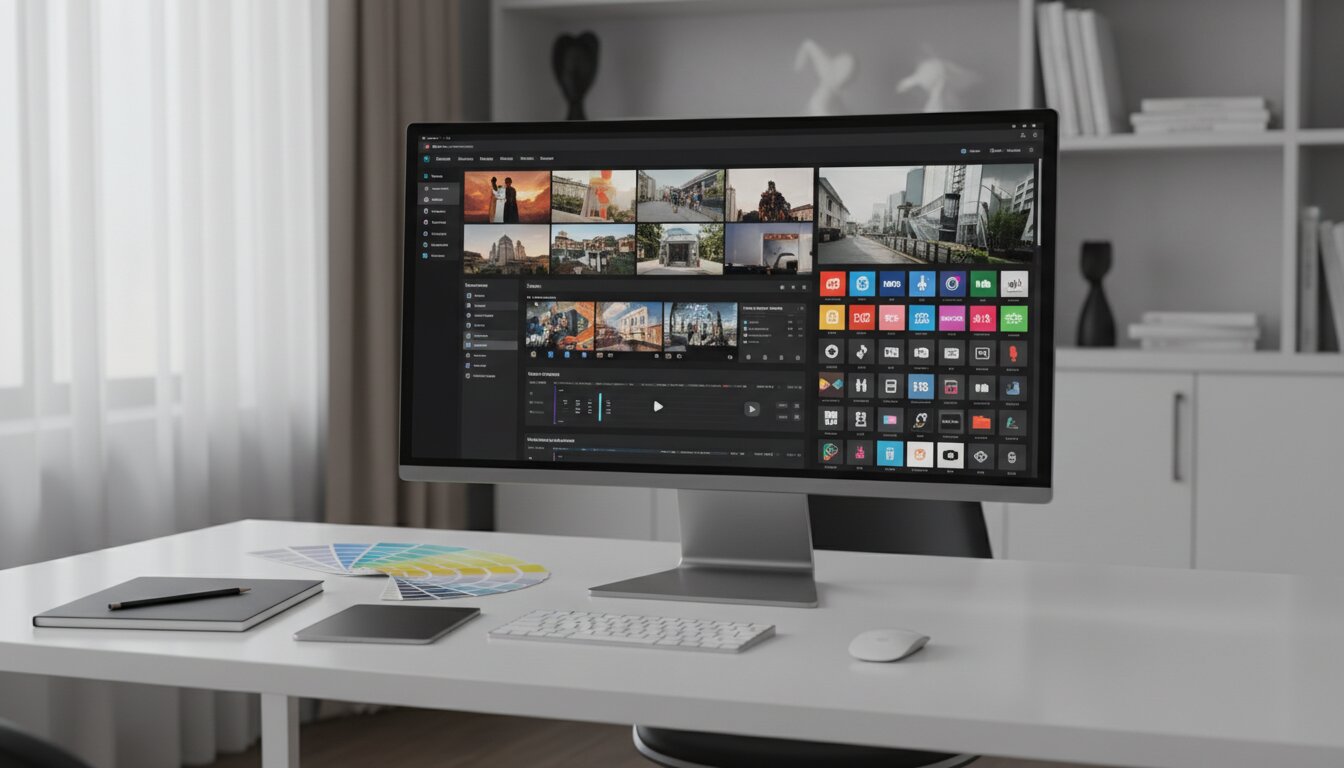
Managing massive libraries of digital media requires more than just standard cloud storage. Visual Asset Management provides the ultimate framework to store, organize, and distribute complex media files efficiently. Finding the right file exactly when you need it changes everything.
Implementing a robust media organization strategy helps your business eliminate production bottlenecks, reduce content duplication, and maintain strict brand consistency. This guide explores fundamental features, implementation strategies, industry benefits, and expert tips. You will learn how to transition from chaotic folders to a streamlined system that empowers your creative and marketing teams.
Understanding the Fundamentals of Visual Asset Management
Every modern brand relies heavily on high-quality visual content to capture audience attention and drive engagement. Visual Asset Management represents the specialized discipline of organizing, archiving, and retrieving digital media from a centralized repository. While traditional storage methods worked fine for basic text documents or small images, the modern digital landscape demands a much more sophisticated approach.
The scope of media has expanded exponentially over the last decade. Today, businesses deal with massive file sizes and complex formats. Visual Asset Management systems are specifically engineered to handle the heavy computational requirements of these modern assets. They provide intuitive ways to catalog everything from standard graphics and high-definition video to emerging formats like 3D models and LiDAR scans.
When a marketing team needs an approved logo or a specific product image, they cannot afford to waste hours digging through deeply nested folders or email threads. A dedicated visual system provides immediate access to the exact file required, complete with usage rights and format variations. This eliminates the frustration of lost files and the costly mistake of recreating content that already exists somewhere in your network. By centralizing control, companies enforce strict brand guidelines and ensure compliance regarding the licensing of stock imagery or proprietary assets.
Furthermore, these specialized systems offer enhanced capabilities such as dynamic rendition, which automatically generates thumbnails or web-optimized versions of massive files. They also include advanced search capabilities powered by artificial intelligence, ensuring that creative teams can locate specific files instantly based on visual content rather than just a file name.
The Evolution from Digital Asset Management

It is important to distinguish this specialized discipline from broader Digital Asset Management (DAM). While a traditional DAM system handles all types of digital files—including PDFs, text documents, and spreadsheets—a visual-focused system prioritizes the unique needs of visual media.
Legacy asset management tools typically focus on document archival without specialized support for visual media. A standard cloud drive cannot provide an interactive preview of a 3D mesh or a comprehensive breakdown of video metadata. Modern visual platforms step in to fill this gap, offering interactive previews, video transcoding, and seamless integration with creative software suites.
Visual Asset Management vs. Traditional Cloud Storage
To clearly understand the advantages, consider this comparison between specialized visual platforms and traditional cloud storage solutions.
|
Feature |
Visual Asset Management |
Traditional Cloud Storage |
|---|---|---|
|
Search Capabilities |
AI-driven visual search, robust metadata, and tagging |
Basic file name and simple text search |
|
File Previews |
Interactive 3D viewing, video playback, large image previews |
Static icons or generic file type logos |
|
Format Support |
Handles complex files like digital twins and RAW video |
Designed primarily for standard documents and JPEGs |
|
Version Control |
Tracks changes, prevents duplication, ensures latest version |
Prone to duplicate files (e.g., “logo_final_final_v2.png”) |
|
Workflow Integration |
Connects directly to creative software (Adobe, CAD, CMS) |
Requires manual downloading and uploading |
Core Features of Modern Visual Systems

When evaluating platforms to handle your media, several core features separate adequate solutions from exceptional ones. Understanding these capabilities helps you choose a system that truly transforms your operational efficiency.
Advanced Metadata and Taxonomy Frameworks
A robust taxonomy forms the backbone of any successful media library. Modern systems go far beyond simple file names. They utilize extensive metadata fields to catalog assets by campaign, usage rights, product line, color palette, and expiration dates.
Artificial intelligence now plays a massive role in this categorization. AI-powered image recognition can automatically scan an uploaded photo and generate dozens of relevant tags. If you upload a picture of a model wearing a red jacket on a beach, the system automatically tags words like “beach,” “red jacket,” “model,” “summer,” and “ocean.” This automated tagging drastically reduces the manual labor required to organize incoming files and ensures unparalleled search accuracy for your teams down the line.
Complex File Handling and Previews
As businesses move toward spatial computing and immersive experiences, handling complex files becomes non-negotiable. A high-performance Visual Asset Management platform must go beyond basic 2D image previews.
Your system needs interactive viewers for 3D objects, allowing users to spin, zoom, and inspect models directly within their web browser without downloading massive files. Whether you are dealing with architectural renderings, product configurators, or detailed engineering schematics, the ability to view the asset instantly saves massive amounts of time and computing power.
Seamless Creative Integrations
A media system should never act as an isolated silo. It must integrate fluidly into your existing creative stack. The best platforms offer direct plugins for design software, video editing suites, and content management systems.
For instance, a graphic designer working should be able to search the Visual Asset Management library, drag a high-resolution image directly onto their canvas, and save the updated project back to the library without ever leaving their design application. This seamless flow of assets from creation to publication prevents context switching and keeps creative momentum high.
Top Benefits for Enterprise and Small Businesses
Implementing a dedicated strategy for your visual media yields significant returns across multiple departments. The benefits extend far beyond simple file organization, directly impacting your bottom line and brand reputation.
Ensuring Ironclad Brand Consistency
Brand inconsistency confuses customers and dilutes your market presence. When employees use outdated logos, off-brand color palettes, or expired promotional images, your company appears unprofessional.
Visual Asset Management establishes a single source of truth for your entire organization. When the marketing team updates a primary brand graphic, the new version instantly replaces the old one across the platform. You can set strict permissions, ensuring that regional sales teams or external agency partners only access approved, final-version assets. This tight control safeguards your brand identity across all global channels.
Accelerating Time-to-Market
In a fast-paced digital economy, speed matters. Launching a new product campaign requires coordinating hundreds of visual elements across web, social media, print, and email.
Without a dedicated system, teams waste excessive time locating files, waiting for approvals, or tracking down the original creator of an asset. A Visual Asset Management platform accelerates this entire lifecycle. Automated workflows can instantly format a master video into specific ratios for different social platforms. Approval routing ensures managers get notified exactly when a creative piece needs their sign-off. By removing these operational bottlenecks, you get your campaigns to market much faster.
Maximizing the Value of Creative Work
Creating high-fidelity visual content requires significant time, money, and talent. Commissioning custom photography, rendering detailed animations, or capturing complex environmental data represents a major investment.
When these assets sit forgotten in a disorganized hard drive, you lose out on their total value. Visual Asset Management helps brands maximize their return on investment by making every file highly discoverable. A lifestyle photo shot for a summer catalog can be easily found and repurposed for a social media post two years later. By encouraging the reuse of expensive media, you drastically reduce the need to commission new, redundant creative work.
Common Mistakes to Avoid
Transitioning to a new organizational system presents certain challenges. Avoid these frequent pitfalls to guarantee a smooth adoption process and maximize your platform’s effectiveness.
Creating a Data Swamp
Simply purchasing software does not instantly organize your media. Failing to implement a strict naming convention and folder structure before uploading files leads to a “data swamp.” If users can upload files with generic names and zero tags, your expensive new platform quickly becomes just as chaotic as your old shared drive. You must define clear upload rules and mandate metadata entry to keep the system pristine.
Ignoring Granular User Permissions
Not every user in your organization needs global access to every file. Giving everyone administrative rights inevitably leads to accidental deletions, unapproved modifications, or the premature leak of unreleased product images. Set up role-based access control from day one. Define who can view, edit, download, and delete files based on their specific job functions.
Neglecting User Training
A Visual Asset Management system only works if your team actually uses it. Skipping comprehensive user training guarantees low adoption rates. Users need to understand how to leverage advanced search filters, interact with complex file previews, and use software integrations. Invest time in creating customized training sessions that demonstrate exactly how the platform makes their specific daily tasks easier.
Expert Insights and Pro Tips for Implementation

Deploying a visual strategy requires careful planning. Follow these expert insights to ensure your implementation delivers immediate value.
Audit Before You Upload
Never migrate all your existing files blindly. Use the implementation phase as an opportunity to audit your current media library. Delete obsolete logos, remove duplicate images, and archive outdated marketing materials. Starting with a clean, curated collection makes the new system immediately useful and prevents users from accidentally utilizing expired brand assets.
Establish a Governance Committee
Do not leave the management of the platform to a single person. Establish a governance committee consisting of representatives from marketing, design, sales, and IT. This committee should meet quarterly to review taxonomy structures, assess system analytics, and refine upload protocols based on user feedback.
Leverage System Analytics
Modern Visual Asset Management platforms provide detailed analytics regarding asset usage. Pay close attention to these metrics. If you notice that certain product videos receive the highest download rates, you know to produce more content in that style. Conversely, if an entire category of expensive graphics remains untouched, you can investigate why and adjust your creative strategy accordingly to prevent future wasted budget.
Industry-Specific Use Cases
The flexibility of visual platforms makes them invaluable across a wide spectrum of industries. Here is how different sectors leverage these systems to drive growth and efficiency.
Retail and E-Commerce
Retail brands deal with thousands of product SKUs, each requiring multiple images, lifestyle shots, and video demonstrations. Visual Asset Management allows e-commerce teams to organize these files systematically. Furthermore, as online shopping evolves, retailers use these platforms to manage 3D product configurators, allowing customers to view items from every angle or place them in their room using augmented reality.
Architecture, Engineering, and Construction
The construction industry relies on massive, highly technical visual files. From drone footage of job sites to comprehensive blueprints and geological surveys, the data load is immense. These businesses utilize visual management systems to store and share heavy spatial data seamlessly with remote teams, contractors, and clients, ensuring everyone builds from the most up-to-date plans.
Healthcare and Medical Devices
Healthcare organizations manage sensitive visual data, including detailed equipment renderings and training videos. Strict compliance and security are paramount in this sector. Visual Asset Management provides the necessary encryption and access controls to protect proprietary medical device designs while allowing authorized educators to access high-definition anatomical models for training purposes.
Measuring the Return on Investment
Securing budget approval for new software requires a clear demonstration of value. Calculating the return on investment for Visual Asset Management involves measuring both tangible and intangible improvements.
Track the reduction in time your creative team spends searching for files. If a designer saves four hours a week because they no longer have to hunt down specific assets, multiply those hours by their hourly rate to see immediate financial savings. Next, measure the decrease in redundant file creation. If the system prevents you from re-shooting a product because the original photos were easily found, that saved production budget directly offsets the cost of the software.
Finally, consider the long-term business impact of faster campaign deployments and ironclad brand consistency. While harder to quantify perfectly, eliminating marketing delays and presenting a unified brand face undeniably drives higher conversion rates and stronger customer trust.
Conclusion
Mastering your digital media library through Visual Asset Management is no longer optional for modern businesses—it is a critical operational necessity. By centralizing your files, automating repetitive workflows, and ensuring strict brand consistency, you empower your teams to work faster and smarter. Stop letting your valuable creative work vanish into chaotic folders. Evaluate your current media workflows, invest in a dedicated platform, and unlock the full potential of your visual assets today.
FAQs
1. What is Visual Asset Management?
Visual Asset Management is the structured process of storing, organizing, finding, and distributing digital media files. It provides a centralized, secure platform specifically optimized to handle images, videos, and complex graphics, ensuring teams can quickly access the exact visual content they need.
2. How does this differ from traditional file storage?
Unlike basic cloud storage, these specialized systems offer AI-driven tagging, interactive file previews, format conversions, and direct integrations with creative software. Traditional storage simply holds files, whereas visual management systems actively organize and optimize them for marketing and design workflows.
3. Does Visual Asset Management support 3D files?
Yes, modern platforms are equipped to handle complex spatial computing files, including 3D objects and detailed environmental scans. They provide interactive in-browser viewing, allowing users to inspect these complex assets without needing specialized design software installed on their local machines.
4. How does this software improve brand consistency?
It acts as a single source of truth for your entire organization. By implementing strict version control and granular user permissions, you guarantee that sales, marketing, and external partners only have access to the most up-to-date, approved logos and brand imagery.
5. Can small businesses benefit from these systems?
Absolutely. While enterprises handle massive volume, small businesses benefit immensely from the time saved searching for files and the professional polish that comes with consistent branding. Many platforms offer scalable pricing models designed specifically for growing teams.
6. What is metadata, and why is it important?
Metadata is data that provides information about other data. In this context, it includes tags, descriptions, copyright info, and campaign names attached to an image or video. Comprehensive metadata ensures that files are easily searchable and highly discoverable within large libraries.
7. How does artificial intelligence help manage visual files?
Artificial intelligence automates the labor-intensive tagging process. When an image or video is uploaded, AI image recognition scans the content and automatically assigns relevant keywords, color profiles, and object tags, making the asset instantly searchable without manual data entry.
8. Will this integrate with my current marketing tools?
The best platforms offer robust API connections and out-of-the-box integrations with major creative and marketing tools. This allows you to connect your visual library directly to your website’s content management system, social media schedulers, and graphic design software.
9. How do these systems handle duplicate files?
Advanced platforms utilize file recognition technology to detect duplicates upon upload. If a user tries to upload an image that already exists in the system, the platform flags it. Furthermore, version control features allow you to update an existing asset rather than creating a new duplicate file.
10. How long does it take to implement a new platform?
Implementation time varies based on the size of your existing media library and the complexity of your organizational taxonomy. A small business might launch a basic system in a few weeks, while an enterprise migration involving thousands of heavy files and custom API integrations could take several months.
